


A new Mac sat there, unopened, for almost 24 hours after I bought it. I was hesitant to unbox and set it up quickly. I knew this was a ritual I wanted to enjoy slowly. I’m going to spend years with this machine, so I wanted everything about it to feel personal.
This isn’t a straightforward “Set up your Mac” guide, and it isn’t a philosophical dissection of anything either. It sits somewhere in between, just like me. I love tech, and I love to observe, to be slow with things in this fast-moving world. I am trying to find joy in the most boring things life can present me.
So here we are with a boring task, trying to have fun with it.
Before anything is installed, the screen is just the usual mac “Tahoe day” wallpaper. No files, no history, no cookies, no cache, no version of me I left lying around in folders I named “misc” or “untitled.” No sign of the 1001 different project ideas I have been procrastinating on.
It’s tempting to fill that space as fast as possible, the way we do with iPhones: sign in, sync everything from the cloud, get back to your old self in a few minutes.
I decided to resist that, just this once.
A tool shapes the hands that use it. You already know this about a kitchen, or a garden. Somehow, we forget it about the machine we spend more waking hours inside than almost anywhere else. So, this isn’t really a setup guide. It’s an invitation to set up slowly enough to notice what you’re choosing, and why.
The ground
I signed in but skipped the sync and started this one empty. Then, since I prefer dark mode, I went to System Settings → Appearance → Dark Mode (Auto). Comfort first.
I installed Microsoft Edge, my favourite browser believe it or not 😁.
Then I needed the infrastructure to install everything else and for me, that’s Homebrew. I opened the terminal and installed it first:
/bin/bash -c "$(curl -fsSL https://raw.githubusercontent.com/Homebrew/install/HEAD/install.sh)"The terminal is where I live as a developer for my job, and I wanted it to be more than just what my machine gives me by default. I installed iTerm2, a font, and a few tools so the space I live in feels cozy:
brew install --cask iterm2
brew install --cask font-jetbrains-mono-nerd-font
brew install zsh starship eza bat fzf zoxide fd ripgrep git gh git-delta
Then I created my ~/.zshrc file inside my Home folder and opened it.
touch ~/.zshrc
open -e ~/.zshrc
Added these lines (tab-completion setup first, then prompt/tool init) and saved:
# Tab completion
autoload -Uz compinit
compinit
zstyle ':completion:*' matcher-list 'm:{a-zA-Z}={A-Za-z}'   # case-insensitive matching
zstyle ':completion:*' menu select                            # arrow-key navigation through matches
zstyle ':completion:*' list-colors "${(s.:.)LS_COLORS}"       # colored completion menu

# Prompt + tools
eval "$(starship init zsh)"
eval "$(zoxide init zsh)"
alias ls="eza --icons"
alias cat="bat"
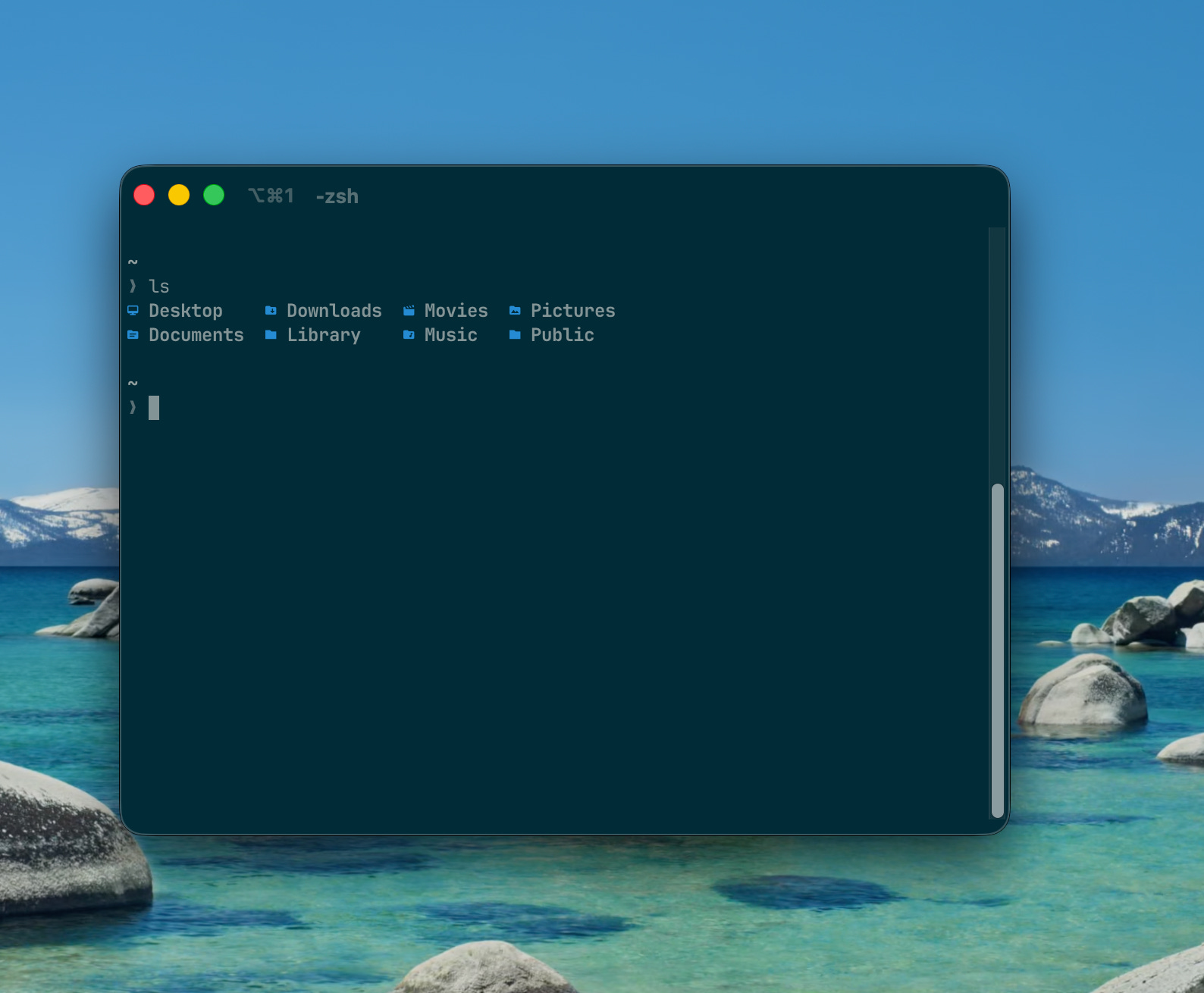
Then, in iTerm2’s settings: Profiles → Colors → Solarized under Color Presets, and Appearance → Minimal theme.
Final look of my terminal 👩🏽💻:
The workspace
Next, I needed to set up a few things for my work that involves Node but many versions of it. So I installed it through through nvm (node version manager).
brew install nvm
mkdir ~/.nvm
Added below to .zshrc file:
export NVM_DIR="$HOME/.nvm"
[ -s "/opt/homebrew/opt/nvm/nvm.sh" ] && \. "/opt/homebrew/opt/nvm/nvm.sh"
[ -s "/opt/homebrew/opt/nvm/etc/bash_completion.d/nvm" ] && \. "/opt/homebrew/opt/nvm/etc/bash_completion.d/nvm"
Then reloaded the termnial and installed latest Node:
source ~/.zshrc
nvm install node      # installs latest
nvm alias default node
node -v
Next, I installed Python, for MkDocs / GitHub Pages workflow: for my work related to courses creation, my tech blogs etc.
brew install python@3.12 pyenv uv
Then I carefully installed my editor of choice for code, good old VS Code
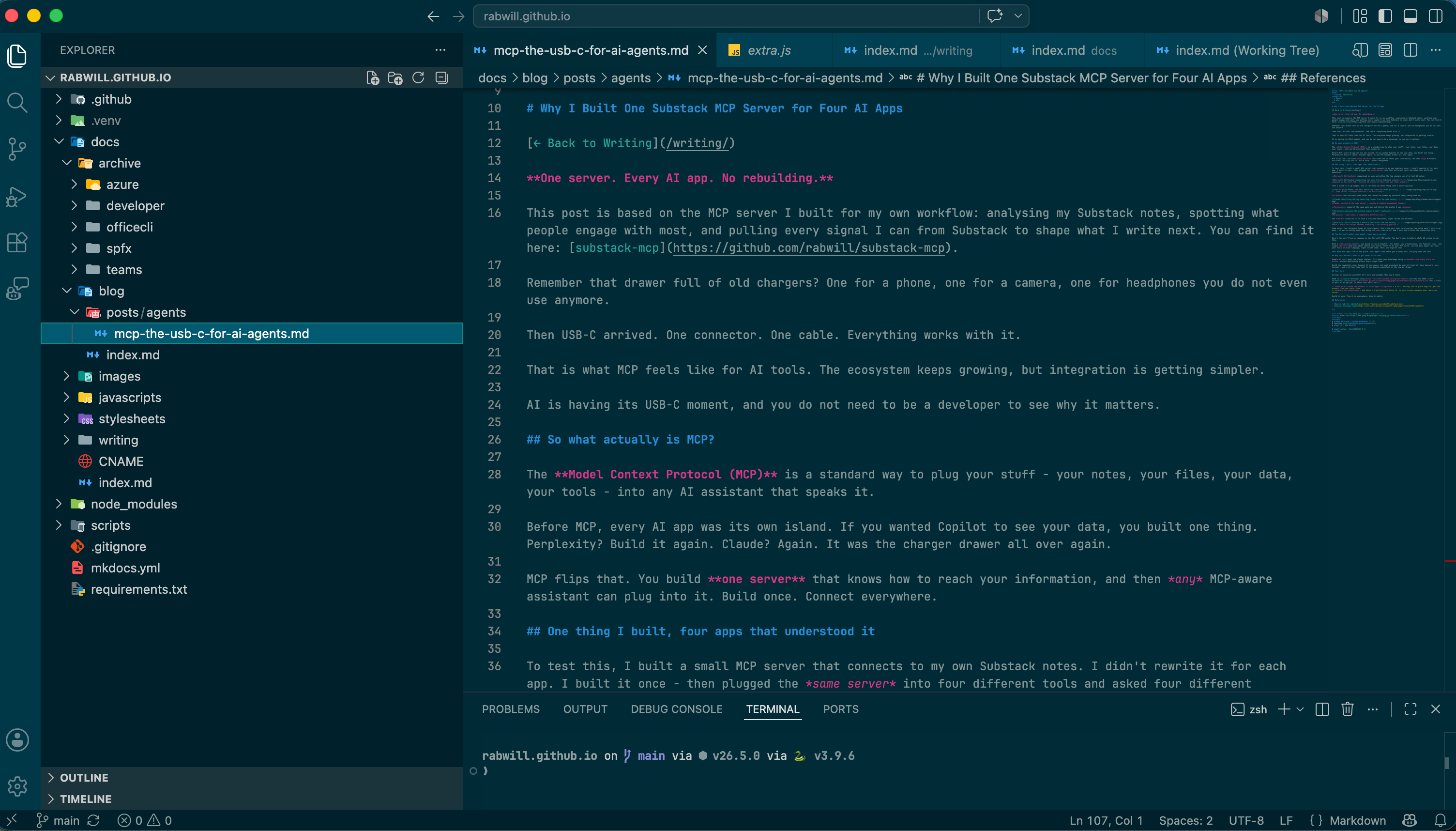
brew install --cask visual-studio-codeTo set it up, I chose Solarized theme, the Material Icon set, the same Nerd Font from your terminal, to be consistent with my terminal (Edit the settings.json)
{
    "workbench.colorTheme": "Solarized Dark",
    "workbench.iconTheme": "material-icon-theme",
    "git.autofetch": true,
    "editor.fontLigatures": false,
    "editor.fontFamily": "JetBrainsMono Nerd Font",
}
Final look of my editor 📝:
The shelf
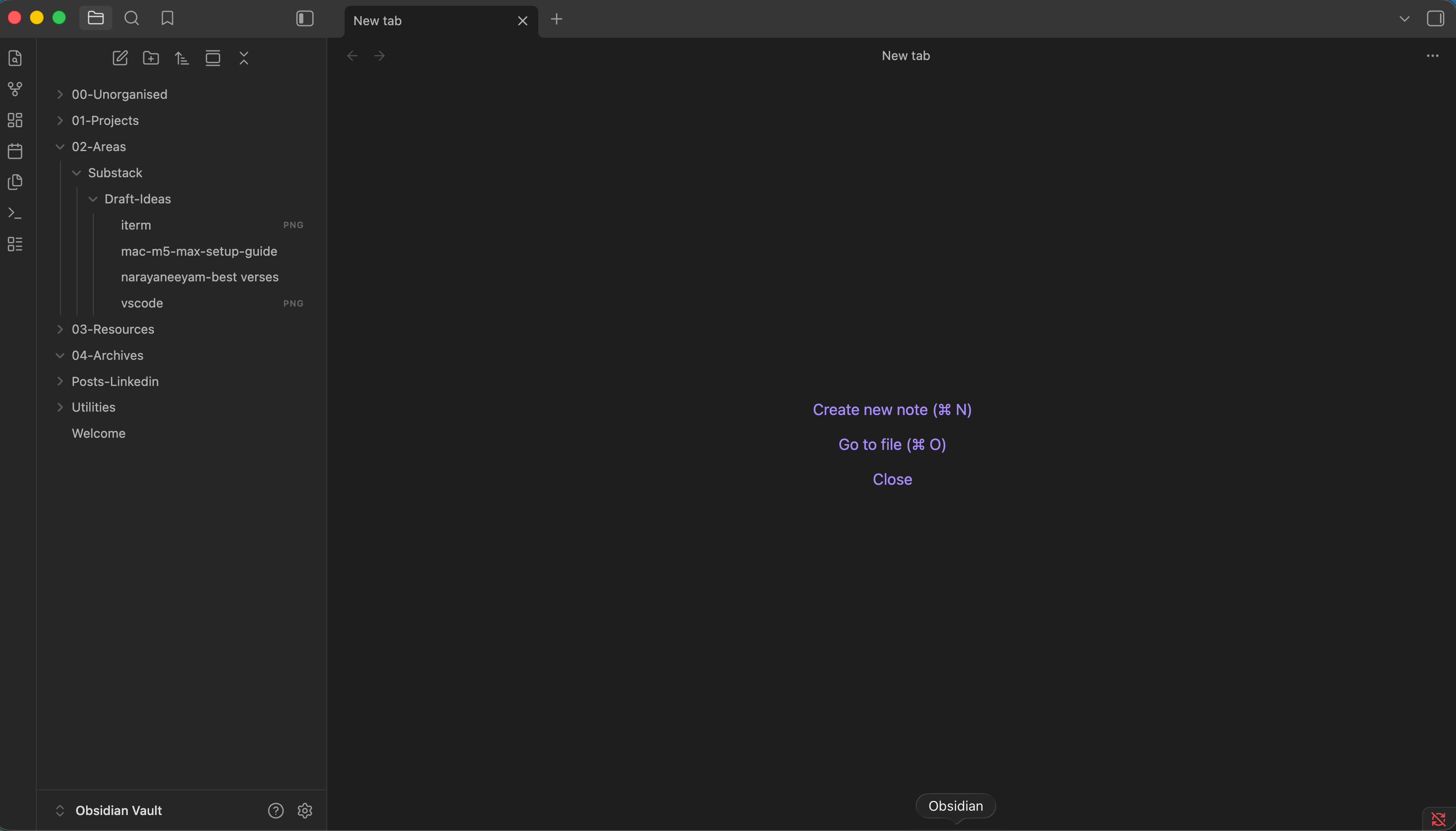
Somewhere for the thinking, like new blog ideas, articles for Substack, side projects, and everything in between, I chose to install Obsidian. The Minimal theme, and a folder structure with room to grow rather than one I’ll outgrow by September:
brew install --cask obsidianMy initial set up of folders looks like this, I hope it stays clean for sometime.
And by that, I came to the end of my minimal setup and I felt happy, genuinely happy, with it. It turned out exactly as I wanted it to.
I won't remember most of what I did to set this up by next week, which is why I documented it. But I know I'll feel it, every time I open the lid to work on something.
Obsidian ❣️❣️❣️❣️❣️
Will you believe if I say I got my mac a month back and I haven’t shifted from 10 year old to new one yet. To start from set up feels annoying and unnostaligic. Being a programmer. I could understand this article. Nice 😊